Introduction
This report documents the installation of a LEMP stack (Linux, Nginx, MariaDB, PHP) on a Debian container. This architecture is a high-performance solution for hosting web applications, utilizing Nginx for web serving and PHP-FPM for dynamic processing.
1. System Architecture
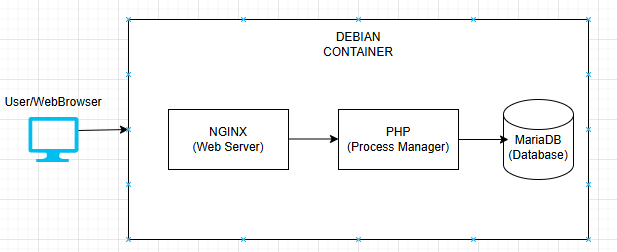
The following diagram illustrates the logical flow of data within the stack, showing how a user request is handled by Nginx, processed by PHP, and stored in MariaDB.
2. Installation & Configuration Steps
Step 1: Installing Nginx (The Web Server)
Nginx is installed to handle incoming HTTP requests on port 18005.
- Installation:
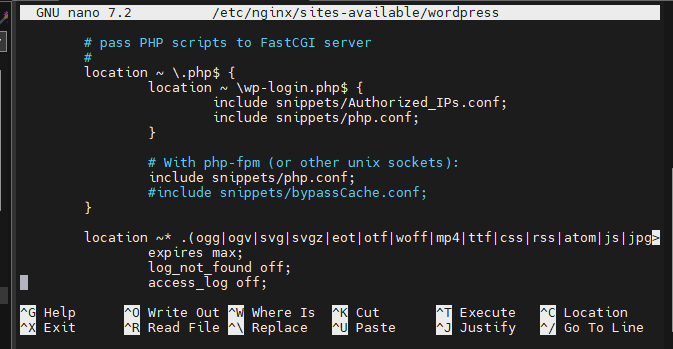
apt install nginx - Configuration: We created a dedicated Virtual Host file to define the site settings.
- Command:
nano /etc/nginx/sites-available/wordpress
Step 2: Installing MariaDB (The Database)
MariaDB provides the SQL storage for the application.
- Installation:
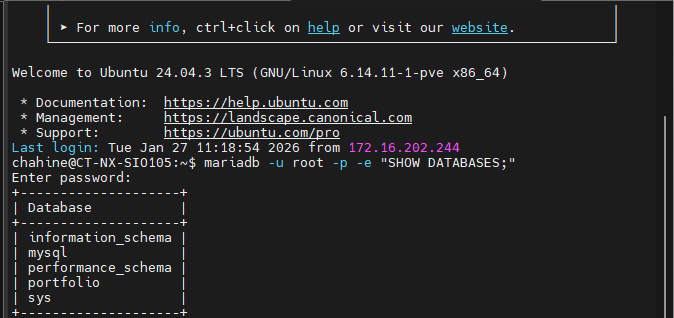
apt install mariadb-server - Database Setup:
SQL
CREATE DATABASE portfolio;
CREATE USER 'mon_user'@'localhost' IDENTIFIED BY 'password';
GRANT ALL PRIVILEGES ON portfolio.* TO 'mon_user'@'localhost';
FLUSH PRIVILEGES;
Step 3: Installing PHP 8.3-FPM (The Engine)
PHP-FPM processes dynamic code and communicates with Nginx via a Unix Socket.
- Installation:
apt install php8.3-fpm php-mysql - Verification: Check if the socket file exists and is active.
- Command:
ls -l /run/php/php8.3-fpm.sock
Step 4: Permissions & Ownership
Security and accessibility are handled by assigning the correct owner to the web folder so the web server can read/write files.
- Command:
chown -R www-data:www-data /var/www/wordpress

Step 5: WordPress Deployment & Configuration
Once the LEMP infrastructure was stable, we deployed the WordPress core files.
- Download & Extract: We moved the WordPress files to
/var/www/wordpress. - Configuration: We edited the configuration file to link the site to the database.
- Command:
nano /var/www/wordpress/wp-config.php
3. Service Validation
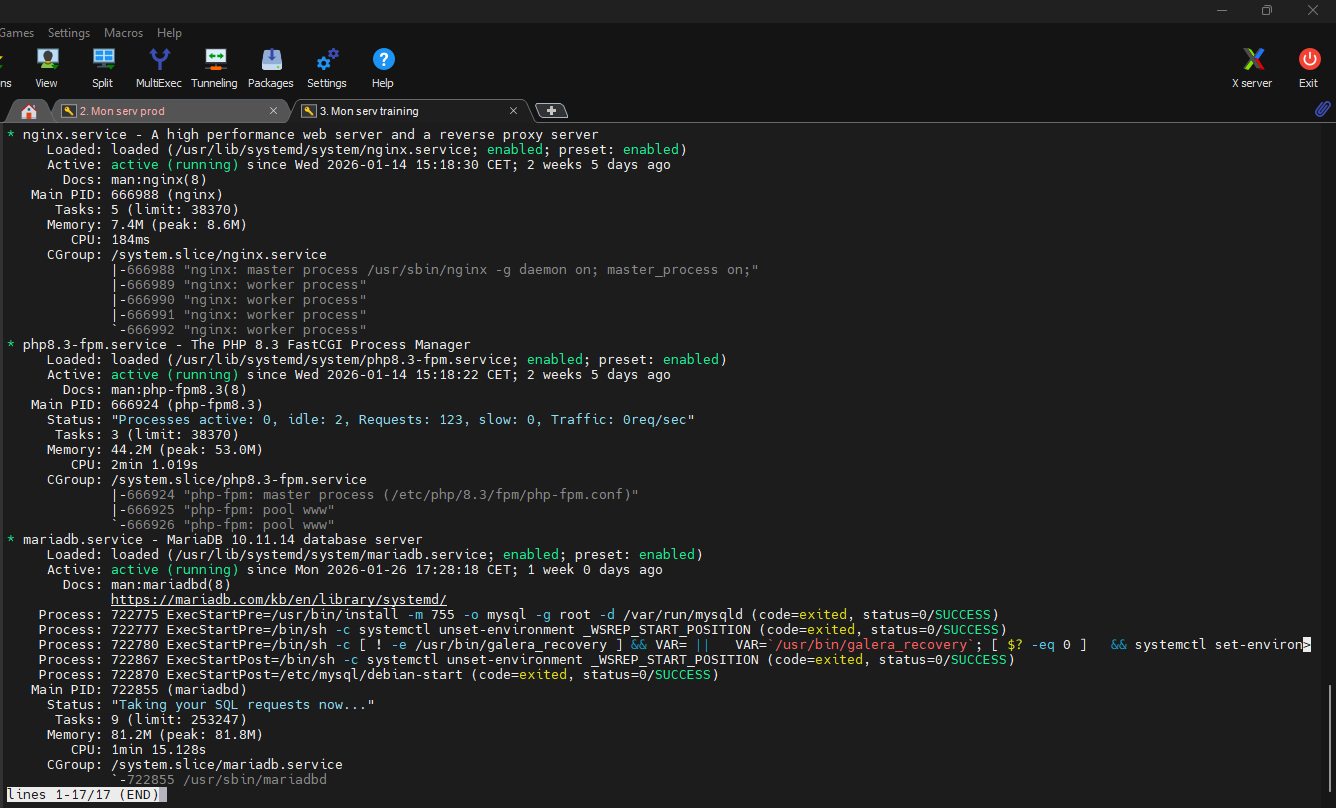
To ensure the infrastructure is fully operational, all services must be in the active state. During the process, we resolved a 502 Bad Gateway error by ensuring that the Nginx configuration correctly pointed to the php8.3-fpm.sock and by removing the default Nginx configuration file that caused a conflict.
- Commands to restart services:
Bash
service nginx restart
service php8.3-fpm restart
Conclusion
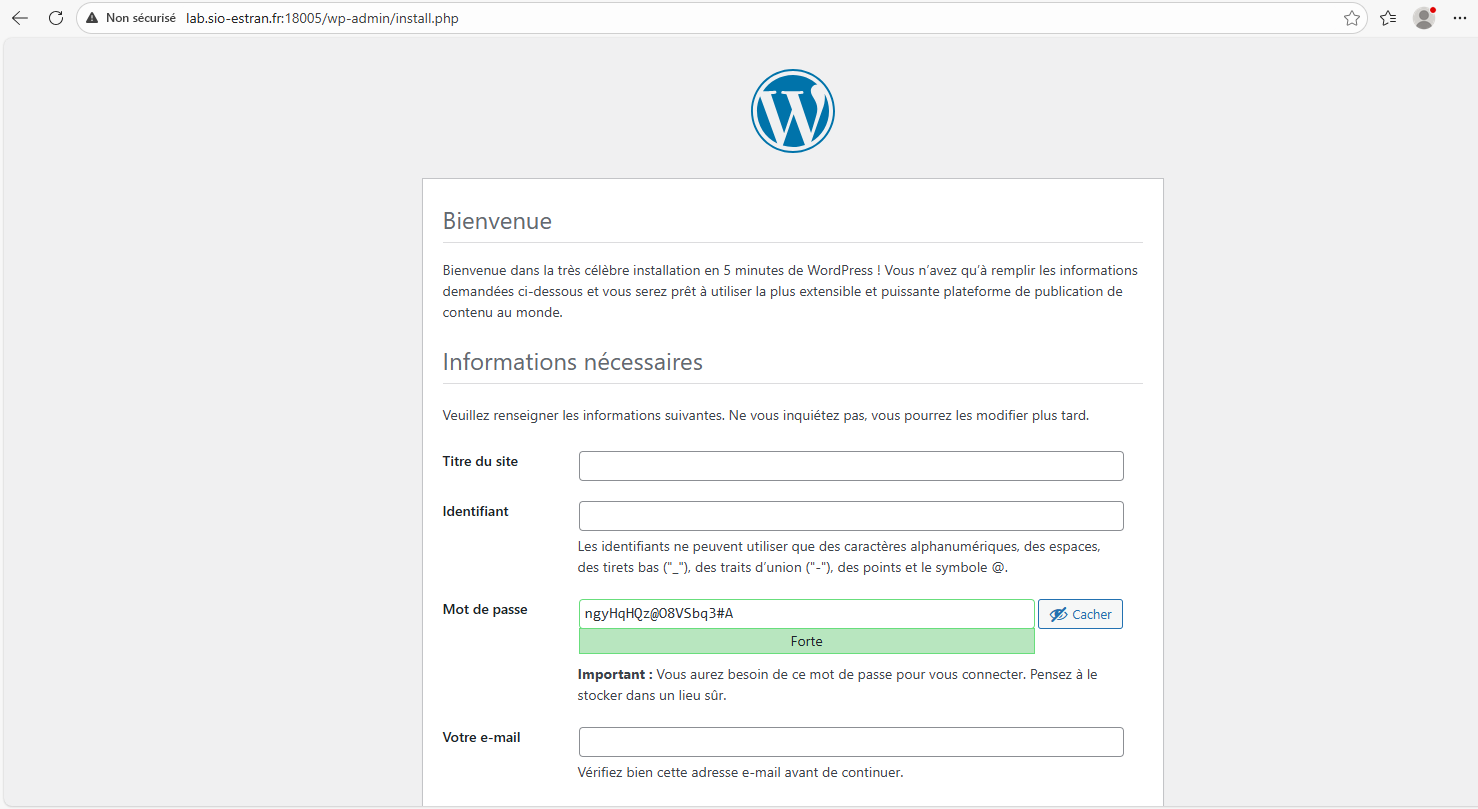
The LEMP stack is successfully deployed and WordPress is fully operational. By separating the web server (Nginx), the processing engine (PHP-FPM), and the database (MariaDB), we have created a scalable and robust environment. This quick project demonstrates the ability to configure a complete web stack and manage system permissions within a Linux environment.
No responses yet